Google Star Ratings
In the Google search engine, star ratings can appear bellow the results.
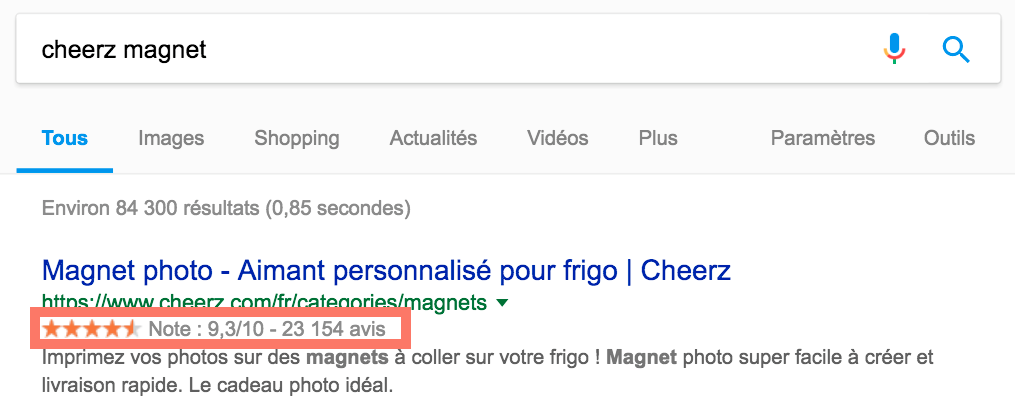
To get a similar result, you SHALL have to gather reviews and add an html snippet to your website.
This guide explains how to link your Diduenjoy gathered reviews to the Google Star Ratings.
Getting started
4 Actors
- The merchant selling items (products, services, etc...)
- The customers
- Diduenjoy
The workflow
- Customers buy items from the merchant
- The merchant notifies Diduenjoy about the transaction
- Diduenjoy sends surveys to the customers
- Customers answer to the Diduenjoy surveys
- The merchant fetch the data gathered by Diduenjoy and updates his items or categories webpages metadata
- Google crawls the merchant website and update the search results stars according to the webpages metadata
The metadata snippet
<html>
<head>
<title>Page of my awesome Product</title>
</head>
<body>
<!-- ... -->
<script type="application/ld+json">
  {
    "@context": "http://schema.org/",
    "@type": "Product",
    "name": "awesomeProduct",
    "image": "http://www.adress.of.awesomeProduct.image.jpeg",
    "description": "My awesomeProduct desc which appears in the google search",
    "brand": "AwesomeCompany",
    "aggregateRating": {
      "@type": "AggregateRating",
      "ratingValue": "8.1",
      "bestRating" : "10",
      "reviewCount": "42"
    }
  }
</script>
<!-- ... -->
</body>
</html>
Here is an example of data you need to place in a product html page in order to see related note on google search result for this product.
You should keep in mind that if you put more than one script per page, the behaviour might become unpredictable. Indeed, if your page has many products (ex: multiple blue shoes)the google search will appears such as, all ratings will be displayed together. However, you can decide if either or not you want this particular behaviour.
The most important data that MUST be replaced here is aggregateRating.
Luckily, diduenjoy provides an endpoint to give you dynamicaly the related rating of your product page collected through your feedbacks!
Of course you need to replace other fields like name, image, description, brand and eventually @type.
Check it out this example to apply this to your own pages!
Script structure
- The script where you SHALL add the information needs to be inserted within your product's page
bodyhtml tag - This script is of
application/ld+jsontype - It contains a json block. It's a collection of key/values :
- Rails
<html>
<body>
<!-- ...  -->
<script type="application/ld+json">
  {
    "@context": "http://schema.org/",
    "@type": "Product",
    "name": "Raposce scissors 16 cm",
    "image": "https://mysite.images_api/products/raposce_ciseaux_16.jpeg",
    "description": "Precision-Sharpened Blades for Smooth Cutting Action with 16 cm blades.",
    "brand": "Raposce",
    "aggregateRating": {
      "@type": "AggregateRating",
      "ratingValue": "8.1",
      "bestRating" : "10",
      "reviewCount": "42"
    }
  }
</script>
</body>
</html>
| key | value |
|---|---|
@context | Constant String, required Let its value to http://schema.org/ |
@type | String, required SHALL be here [http://schema.org/docs/full.html]. You SHALL mainly use Product and SomeProducts (group of products) |
name | String, required The name of your product |
image | String, recommended The url of your product's image |
description | String, recommended The description of your product |
brand | String, recommended Your Brand name |
aggregateRating | JsonObject, required The data which gives your product rating to Google. Provided by this diduenjoy enpoint |
JSON is a format where keys and values are always encapsulated within double quotes (even a number should be a string)
Diduenjoy aggregate rating endpoint
This provided endpoint is used to retrieve the JsonObject and needs to be inserted into your script in front of the "aggregateRating" key.
It takes one optional (but recommended) parameter named Filter. If none is given, the enpoint will give you the ratings gathered through ALL your feedbacks (and not on one specific product except if you only sell this particular product).
Filter
Filter param may have 2 keys, which means you can retrieve the rating of your product(s) with 2 filters that are surveys and segments
If you want the rating for one product, your filters SHALL be as restrictive as possible. Inversely, if you want an aggregate note for an index of products (such as all your blue shoes), filter should logically contains less filters than the previous example.
Surveys
The surveys filter is an array of the surveys you use to collect feedbacks on this particular product(s).
Segments
The segments filter is an object of keys/array.
- The key should be the name of the segment you want to filter by: for instance
Color,ProductNameorProductId - The array should contains a list of values to filter by such as
['red', 'green'],['Camambert Fermier 1 an'], or['123456']
Url
The url of this enpoint is the following : https://api.diduenjoy.com/api/v3/aggregate-ratings
All in
- Rails
require 'net/http'

DIDUENJOY_API_KEY = '28b22313-bb59-4f78-8bf2-911e7d7aba4b'
ENDPOINT_URL = 'https://api.diduenjoy.com/api/v3/aggregate-ratings'
params = {
"filter": {
"surveys": [
  "ef053beb-8dbb-4cc1-88dd-4ea4fbfc236e",
  "515d627e-1dd4-41ca-ba12-41b2db5268a5"
],
"segments": {
  "ProductName" : ["Sonline 10pcs 20mm"],
  "color": ["silver"]
}
}
}

uri = URI.parse(ENDPOINT_URL)
request = Net::HTTP::Post.new(uri)
request.basic_auth(DIDUENJOY_API_KEY, '') # empty string is important
request.set_form_data(params)

response = Net::HTTP.start(uri.hostname, uri.port) do |http|
http.request(request)
end

@aggregate_rating = response.body if response.is_a?(Net::HTTPSuccess)
Now, if you want to retrieve ratings for feedbacks sent through 2 surveys filtered by 2 segments with values such as the ones given:
- surveys :
ef053beb-8dbb-4cc1-88dd-4ea4fbfc236eand515d627e-1dd4-41ca-ba12-41b2db5268a5 segments :
ProductName:Sonline 10pcs 20mmcolor:silver
- Remember, you need to be authenticated to retrieve data from this endpoint
- Do not forget to use Arrays as
surveysandnamed_segmentsvalues
Test it
Once you have dynamicaly (or not) generated these scripts and retrieved related datas, you should test your scripts content to check if its content is valid.
You can perform this easily :
- go to this google page.
- choose
code block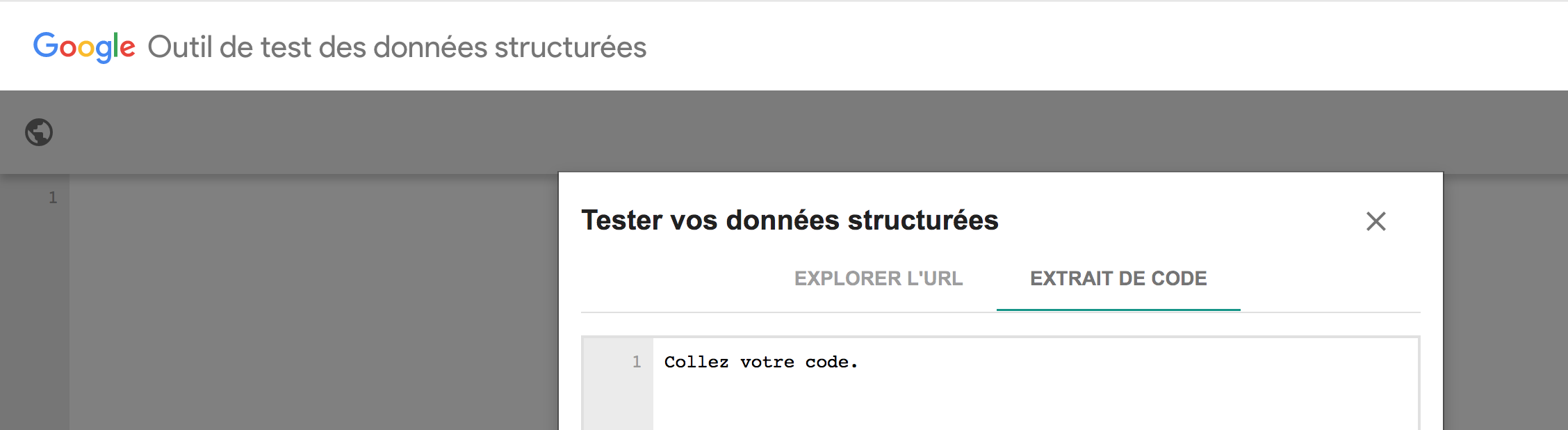
- paste all your html product(s) page and click on
test - you should see something like that :
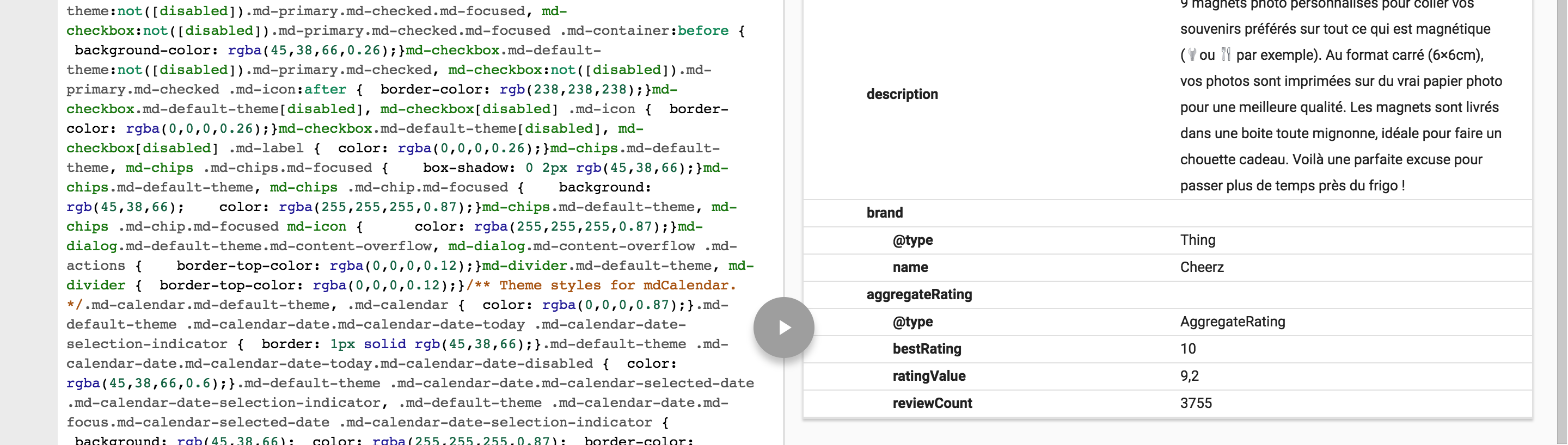
It will return an aggregate rating corresponding to the average of your filtered feedbacks.
Notify Google something changed!
Once in production, you SHALL notify Google that something changed on your website and it will crawl your data to update the google search results related to your product(s) pages and update your sitemaps.
To achieve the following, go to Google webmasters tools
Then go to the crawl folder, in Sitemaps section 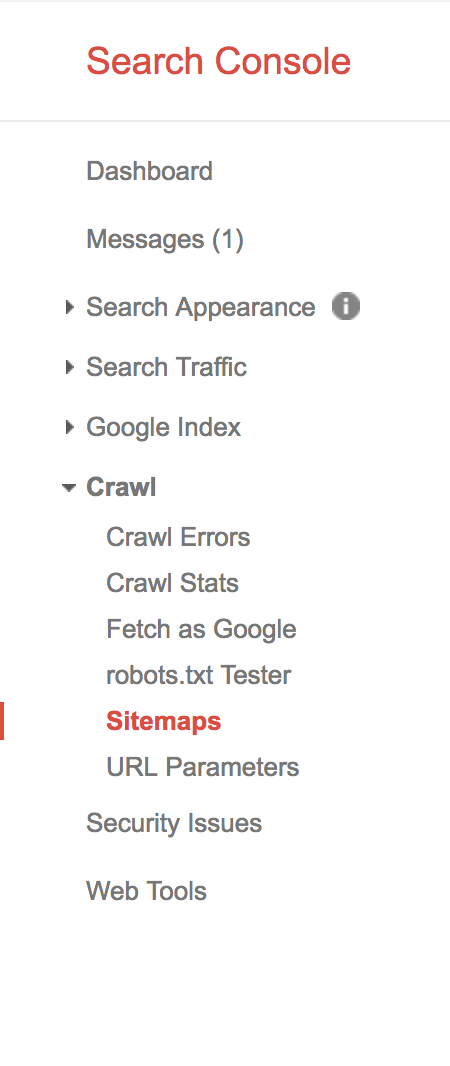
Finaly, click on add/test sitemaps and click on submit. 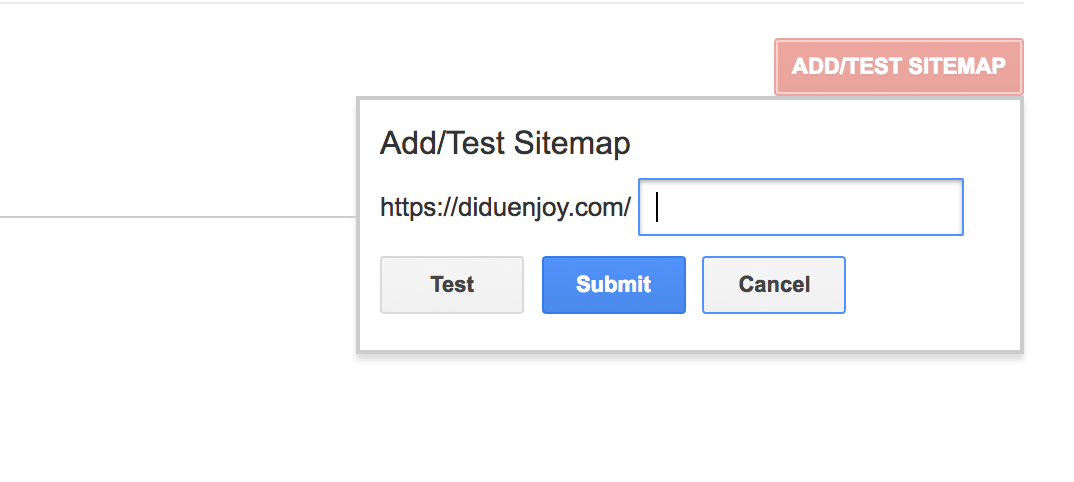
Google Star Concrete Example
controllers/glasses_controller.rb
- Rails
class GlassesController
# ...

ENDPOINT_URL = 'https://api.diduenjoy.com/api/v3/aggregate-ratings'

def get_diduenjoy_aggregate(filters)
uri = URI.parse(ENDPOINT_URL)
request = Net::HTTP::Post.new(uri)
request.basic_auth(DIDUENJOY_API_KEY, '') # empty string is important
request.set_form_data(params)

response = Net::HTTP.start(uri.hostname, uri.port) do |http|
  http.request(request)
end

response.body if response.is_a?(Net::HTTPSuccess)
end
glasses/show.html.erb
- Rails
<script type="application/ld+json">
{
"@context": "http://schema.org/",
"@type": "Product",
"name": @glasses.name,
"image": @glasses.img,
"description": @glasses.description,
"brand": "Glasses Inc.",
"aggregateRating": @aggregate_rating_content
}
</script>
glasses/index.html.erb
- Rails
- cURL
- php
<script type="application/ld+json">
{
"@context": "http://schema.org/",
"@type": "SomeProducts",
"name": "Glasses Inc branded glasses",
"image": Glasses.global_image,
"description": @desc,
"brand": "Glasses Inc.",
"aggregateRating": @aggregate_rating_index_content
}
</script>
# check ruby tab
// check ruby tab
This example provides how to add aggregate ratings to a shop.
Here is an example :
- The company
glasse_inc, sells glasses - Its inventory contains different type of glasses, with different colors and shapes
- Every glasses have a unique Name & ID (such as
spiderman glasses) - The company sends one survey (survey_id =
c78543bd-d59b-43fe-9924-3c59dfad901e) to all its buyers with 3 segments :internal_id,color,shape - The company's website calls the
get_diduenjoy_aggregatefunction in the product page
In order to have the ratings displayed, the company SHALL add the aggregate function to all its pages so when a user searches on Google, the following occurs:
glasse_inc glassesthe average rating for all my glasses is displayedblue glassesthe average rating for all my blue glasses is displayedspiderman glassesthe average rating for this particular type of glasses is displayed
- Rails
- cURL
- php
# params[:filters] with like :
# - { colors => ['blue'] }
# - { shapes => ['square'], colors: ['red', 'green'] }
def index
filters = params[:filters]
@glasses = apply_filters(Glasses.all, filters)
due_fiter = {
  "filter": {
    "surveys": [SURVEY_ID],
    "segments" : {
      "color": filters['colors'],
      "shape": filters['shapes']
    }
  }
}
@aggregate_rating_index_content = get_diduenjoy_aggregate(due_fiter)
@desc = "Glasses of many shapes and colors" # you can custom it with your filters

render :index
end

def show
id = params[:id]
@glasses = Glasses.find(id)
due_filter = {
  "filter": {
    "surveys": [SURVEY_ID],
    "segments": {
      "internal_id": @glasses.id
    }
  }
}
@aggregate_rating_show_content = get_diduenjoy_aggregate(due_filter)

render :show
end
# check ruby tab
// check ruby tab
First of all, you SHALL define how to use your filters param to extract the appropriate filters to query Diduenjoy API.
In this present case, if we are on an index page filtered (or not) by shape and color, you MAY use them to query related feedbacks average.
Therefore, if you are on a single product page, you MUST use the product id to get it.
You SHALL get the result into an @aggregate_rating_content var instead of using it into our html.erb file.
Additionally, you SHOULD assume that they are partial views (so body and html tags always encapsulate show and index views).